


“This is the first explanation of agents that didn’t make me feel behind.”
That is the reaction I hope this article earns. You shouldn’t have to master a stack of new terms before you can improve one annoying task.
Picture this:
It’s Friday afternoon. You owe a client an update before the weekend.
You check your notes, search for the latest decision, look at what is still open, and try to explain it clearly. Half an hour disappears before you send a few paragraphs.
You’ve heard about agents, automations, integrations, and workflows. But you don’t need to begin with any of them. You need to get this update out the door, with less effort and without making anything up.
So let’s follow this one job and see what it actually needs.
TL;DR
Start with one recurring task. Test a prompt. Save the instructions if you keep repeating them. Connect information if finding it becomes the bottleneck. Add a reminder, automation, or agent only when it solves a specific remaining problem.
Measure the whole job, including review and corrections. Stop when the result is useful enough.
What you’ll learn
How to choose a good first task for AI
A prompt structure you can adapt to your own work
When to save instructions or connect information
The difference between a scheduled workflow and an agent
A simple way to test quality, time saved, and risk
A real result, and what it does not prove
In a 2021 engagement, Devon, a solo consultant, was spending about 15 hours a week managing communications across email, Slack, her calendar, and CRM. The process changes included email batching, response templates, CRM routines, calendar blocks, follow-up routines, and weekly prioritization. Her communication workload fell to about 11 hours a week, a reduction of roughly four hours.
That was a real result from process changes. It was not an AI result. Devon still had to maintain the routines and run the system herself. I’m including it because a useful improvement starts with a specific burden and a way to see whether it changed. The Friday client update that follows is an illustrative example, not a claim that AI will save a particular amount of time. Read the full Devon case.
Friday, 3:12 p.m.: Start with the notes
You open an AI tool and paste in this week’s notes. If they include client information, use an account and tool approved for that work.
Then you ask:
Prepare a short client update using only the notes below.
Organize it into:
Completed
Still open
Decisions needed from the client
Next steps
Do not invent missing facts, dates, or commitments. If information is unclear or conflicting, list it under “Needs my review.” Draft only. Do not send.
Notes: [paste notes]
The draft is a useful first pass. You check it, correct one date, remove a sentence that sounds too definite, and send it.
The example is hypothetical, so we won’t assume it saves time. In your own work, time the full task, including review and corrections. The result may be faster, clearer, both, or neither. That is what the test is for.
You haven’t built a system. You’ve tested one change.
Prompt: Do this task with this material.
If the result is good enough, stop here.
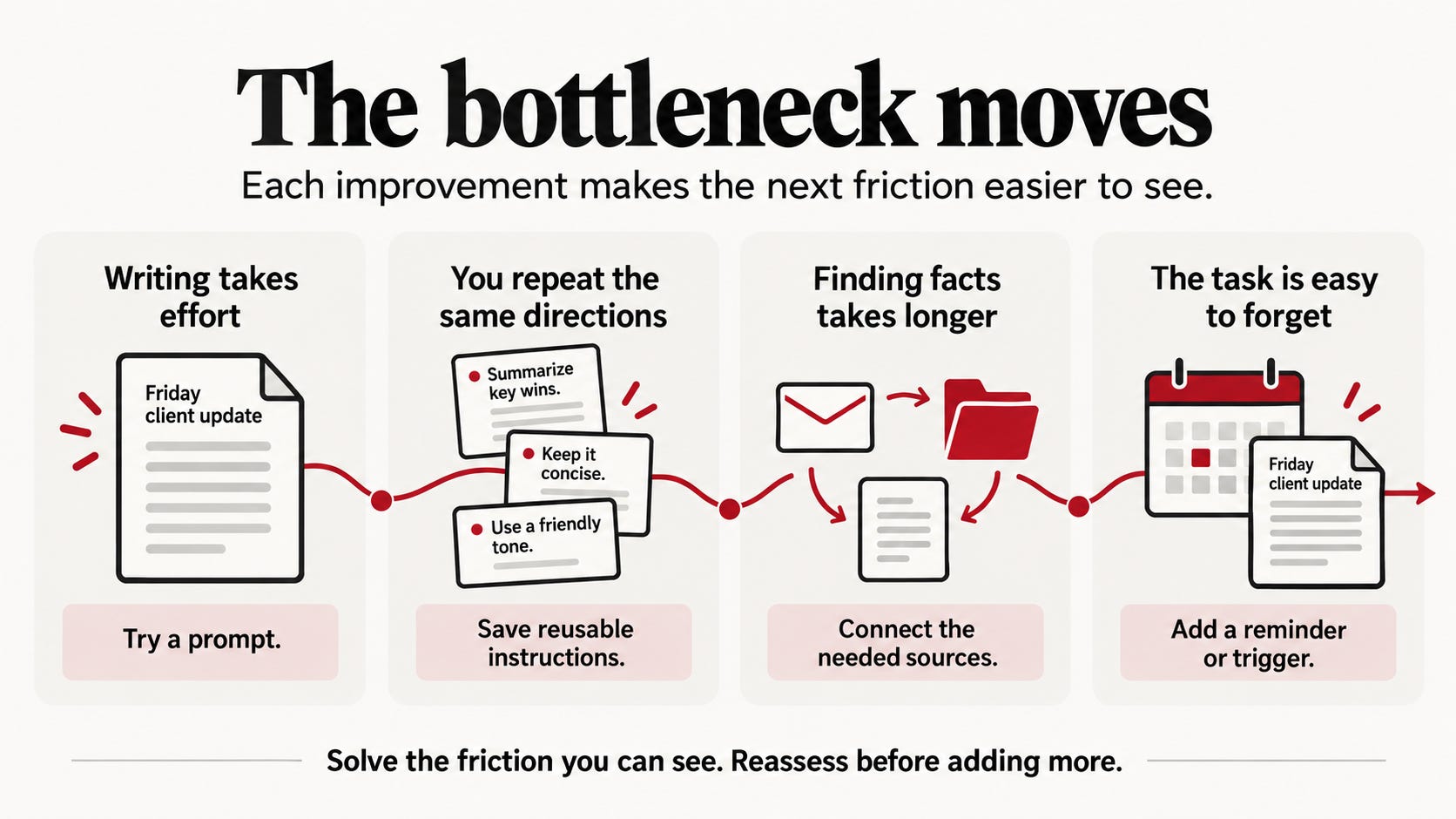
The next Friday: You repeat yourself
The prompt helped, but you find yourself adding the same directions again:
“Keep it short.”
“Flag unresolved commitments.”
“Separate what happened from what you recommend.”
“Don’t promise a date unless I confirmed it.”
The task itself is still simple. The repeated instructions are the new annoyance.
So save the parts that should stay the same: the structure, tone, rules, and what to do when information is missing. In some tools, reusable instructions may be called a skill. In others, you might use a saved prompt or template. The name varies. The point is to stop rebuilding the same guidance from scratch.
Keep the changing material separate. This week’s notes belong in the input. Your lasting rules belong in the reusable instructions.
Reusable instructions: This is how we do this task.
You now have a more consistent starting point. If gathering the notes is still fine, you can stop here.

A few Fridays later: Finding the information takes longer than writing
The draft is easier now. But you still spend time collecting the ingredients.
The meeting notes are in one place. A decision is buried in email. The last update is in a project folder. Open items are in your CRM.
The bottleneck has moved. You don’t need more help writing. You need less searching and copying.
This is when connecting a source may help. Depending on the tool, you may see terms such as app, connector, or integration. These connections can let an AI tool retrieve information from approved systems. They do not automatically guarantee that it has found the right record or interpreted it correctly.
Start with the one source that causes the most repeated hunting. Give access only to what the task needs. Ask the system to show the source for important details and flag anything it cannot verify. Test it with a normal week, a week with a missing note, and a week with conflicting information.
If the source is hard to search, the connection is unreliable, or the review takes longer than the search did, it has not solved the problem yet.
Information access: Give the task the sources it needs.
One Friday, you nearly forget
The update is working. The instructions are saved. The relevant information is accessible.
Then Friday gets busy. At 4:40, you remember the update you meant to prepare at 3.
First ask whether a calendar reminder would solve this. If the work is simply easy to forget, a reminder may be all you need.
If the system should start gathering information and preparing a draft, you may need a scheduled workflow or an agent. These are related ideas, but they are not interchangeable. A conventional automation follows steps you define. An agent uses a model to interpret context and choose among bounded steps or tools.
For this client update, a scheduled process might:
Start every Friday at 3 p.m.
Gather information from approved sources
Compare it with the previous update
List completed work and unresolved commitments
Flag missing or conflicting details
Prepare a draft for your review
Set a clear boundary: it prepares the update, but does not send it. You check the facts, decide what the client should hear, and approve the message.
An agent is worth considering when the job repeats, has a clear expected output, uses connected systems, and needs some interpretation along the way. If the steps are completely fixed, a regular automation may be simpler. If the job depends on judgment you cannot describe or check, keep that judgment with a person.
OpenAI’s guide to workspace agents describes an agent in terms of a trigger, a process, and tools or systems it can use. It also recommends testing realistic cases and setting human checkpoints. The product names differ across platforms, but those are useful design questions wherever you build.
Triggered work: Start the task at the right time, with a clear stopping point.
The four questions to ask
The Friday update has changed, but you have not climbed a required ladder. You have solved one problem, noticed the next, and added a capability only when it earned its place.
Use these questions to decide what your own job needs:
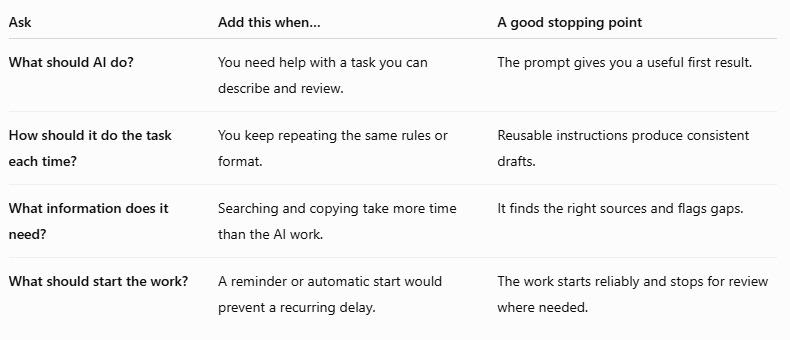
The fourth answer may be a calendar reminder, a standard automation, or an agent. Choose based on the work, not the label.
A small test before you trust it
Before using AI on an important recurring task, write down four things:
1. The job
What starts the task, and what finished result do you need?
2. The baseline
How long does the task take now? What errors, delays, or rework happen?
3. The review rule
What must a person check? What should the AI flag instead of guessing?
4. The test
Try a routine example, an example with missing information, and one with conflicting information. Compare the result with your normal standard.
After a few runs, compare total time and quality with your baseline. Count the review time. If you saved 15 minutes of drafting but spent 20 minutes fixing the output, you did not save time. If the update became clearer and errors fell, that may still be a worthwhile improvement.
Keep the first version narrow. Let it prepare a draft before you consider allowing it to update a record or send a message. Add permissions only when you have evidence that the next action is reliable and appropriate.
Start with one annoying job
Look at your week. Find a task that repeats, follows recognizable rules, uses information you can access, and produces an output you can check. Good first candidates are often small and boring: summarizing meeting notes, drafting a follow-up, preparing a status update, or comparing a few supplier quotes.
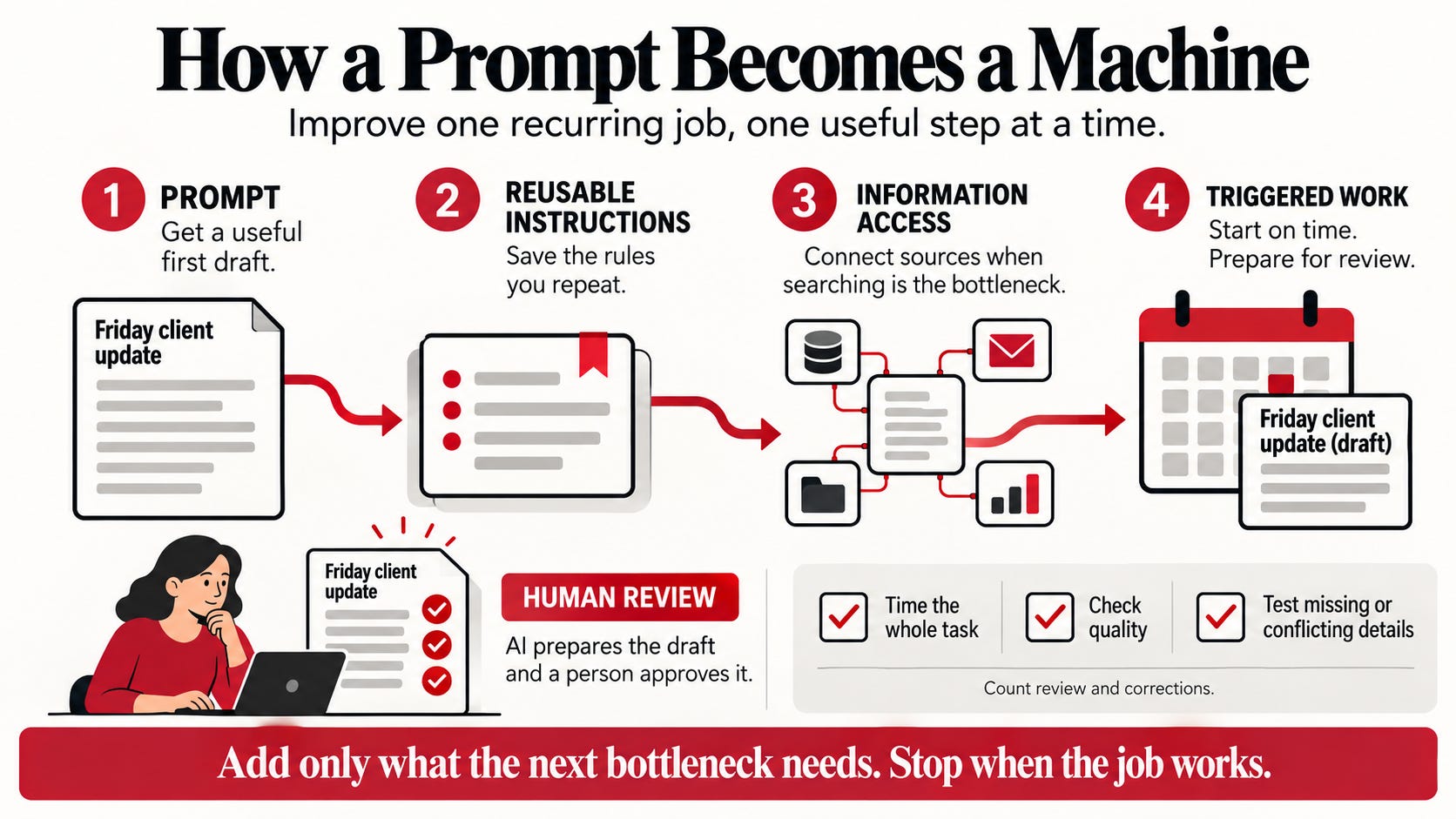
Try the smallest change. Keep it if it helps. When another part of the work becomes the bottleneck, decide whether a new capability would remove that friction.
That is how a prompt can become a machine: not through a grand design, but through useful improvements to work you already understand.
Prompt → Reusable instructions → Information access → Triggered work
Each step should make the job easier, more reliable, or easier to start. Stop as soon as you have what you need.
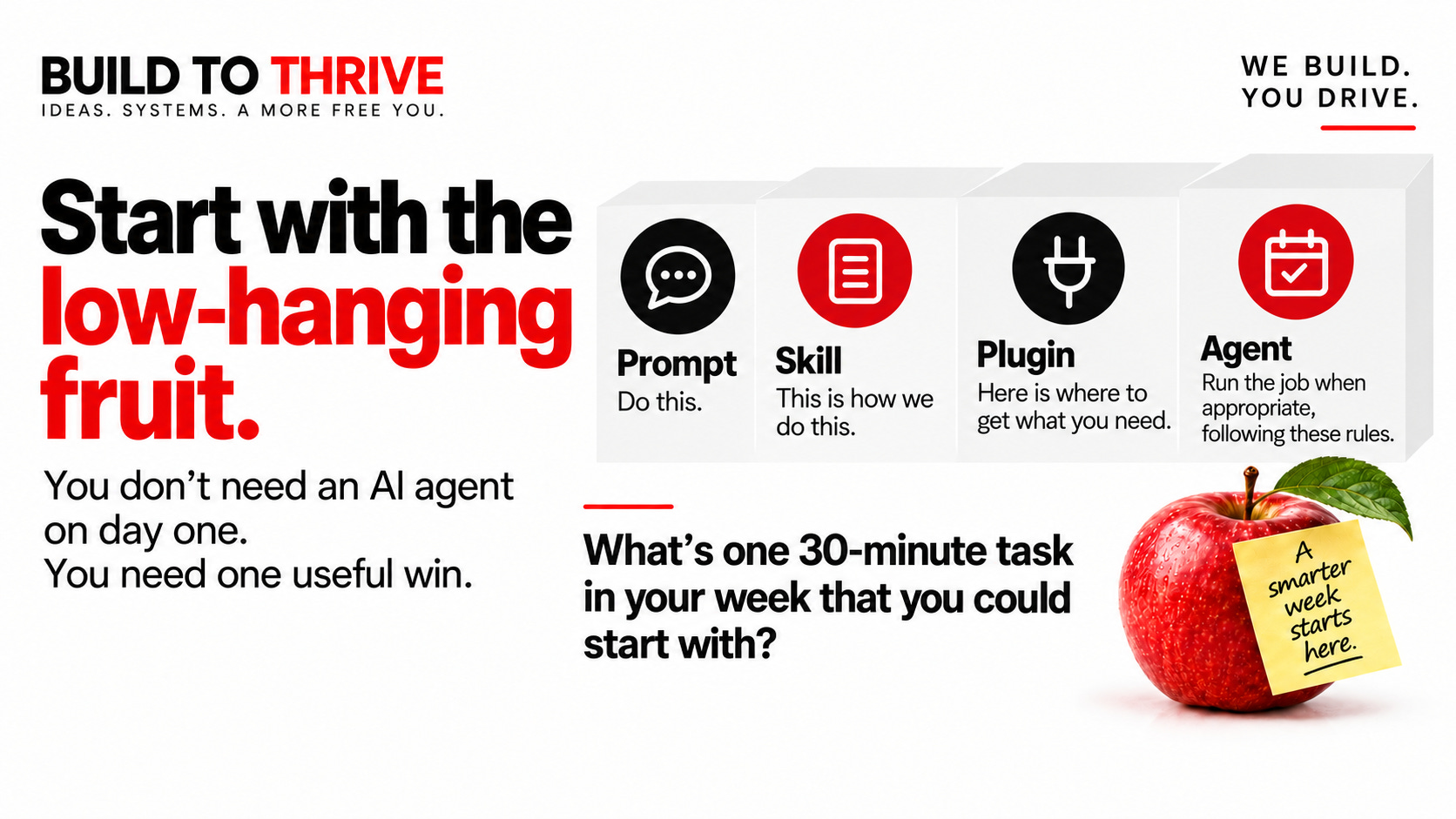

Simple systems that work beat smart systems nobody trusts.