


I’ve started five companies. A finance startup that had to weather 2008. Quite painful, but that’s for another time. Ventures in real estate and hospitality that grew into a thirty-five million dollar exit. A business accelerator that helped 47 companies grow more than thirty percent in a year and I coached more than 100 companies in person. And now Build to Thrive, where I continue my practice online and create relevant content on AI and business.
I started Build to Thrive because I wanted to help professionals and operators navigate the AI shift alongside me. After four companies, I couldn’t find a better use of my time as a professional than mastering AI and helping other people do the same. Every week you open the newsletter with the prompts, tools, and trends you need to grow smart, scale your business, and stay ahead. The focus is clarity, leverage, and how to actually make money with AI. I often add one or two more articles on the news that can impact the way we work and/or dig deeper into businesses that can make you money. Most of the AI coverage out there is written for developers and sometimes it gets highly technical. As a former bricks and mortar entrepreneur, mine is written for you.
Every time I’ve started a company, I’ve started in operations. Anyone who has built something from zero knows this. In the early days you do everything. You write the processes, you run the books, you answer the phone, you fix what’s broken at four in the afternoon because there’s no one else to fix it.
But that phase, for me, has always been temporary. Once the systems are written and the right people are in the seats, I take off. I go do what I actually love doing. I’m a people person. I raise capital. I coach founders and operators. I get out there, meet the market, read the world, and bring back patterns. I’m a connector, a strategist, a systems thinker, and a translator, and by translator, I mean helping smart non-technical people understand where AI actually fits in their work. (I also translate English to Spanish, but that’s the less interesting of the two.)
The pattern across four companies was always the same. Set up the operation, hand it to a team, go do the work only I can do.
Build to Thrive is different. It’s just me. There is no team to hand the operation to. One person writing a newsletter, running a prompt library, packaging an offer framework, preparing workshops and webinars, and trying to keep all of it moving in the same direction.
For the first few months it felt like I was riding a horse running a little faster than I could hold on to. Most mornings I woke up with the same feeling: there’s something important I’m forgetting, and by the time I remember it, it will be too late.
Here’s how I got on top of the horse.
What a chief of staff actually does
In a real company, the CEO has a chief of staff. Most people outside of big organizations don’t know what this person does, because they don’t produce anything you can point at. No decks. No reports with their name on them. No sales.
Their job is to decide what reaches the principal.
When a chief of staff is doing their job well, the CEO walks into every meeting already knowing the one thing that matters. They don’t waste a conversation reading background. They don’t get ambushed by a question they should have seen coming. Their calendar is filtered down to the work only they can do.
Without one, the CEO becomes a switchboard. Every request, every question, every file lives in their head. They spend their day routing information instead of using it. The company is still running, but the person at the top is doing the wrong job.
Every solo operator I know is running their practice as a switchboard.
As a side note, if you'd like to get a clearer picture of your company, I've put together two business health checks: one for solopreneurs, and one for companies with small or large teams. It's what I use before onboarding clients, and it helps pinpoint where to prioritize your efforts.
The invisible tax on doing it yourself
In a traditional business, operations is a line item. You either hire someone to do it or you don’t.
In a solo practice, operations is invisible. It shows up as the Tuesday afternoon you lost trying to remember what you promised a client in January. The proposal you rewrote from scratch because your methodology lives in your head, not in a file. The Friday you spent catching up on an industry shift you meant to track in real time. The prospect who went cold because you forgot to follow up.
Nobody sends you an invoice for any of that. But you pay for it. You pay in CEO work you didn’t do.
That’s the work I want to name, because most of us lose sight of it.
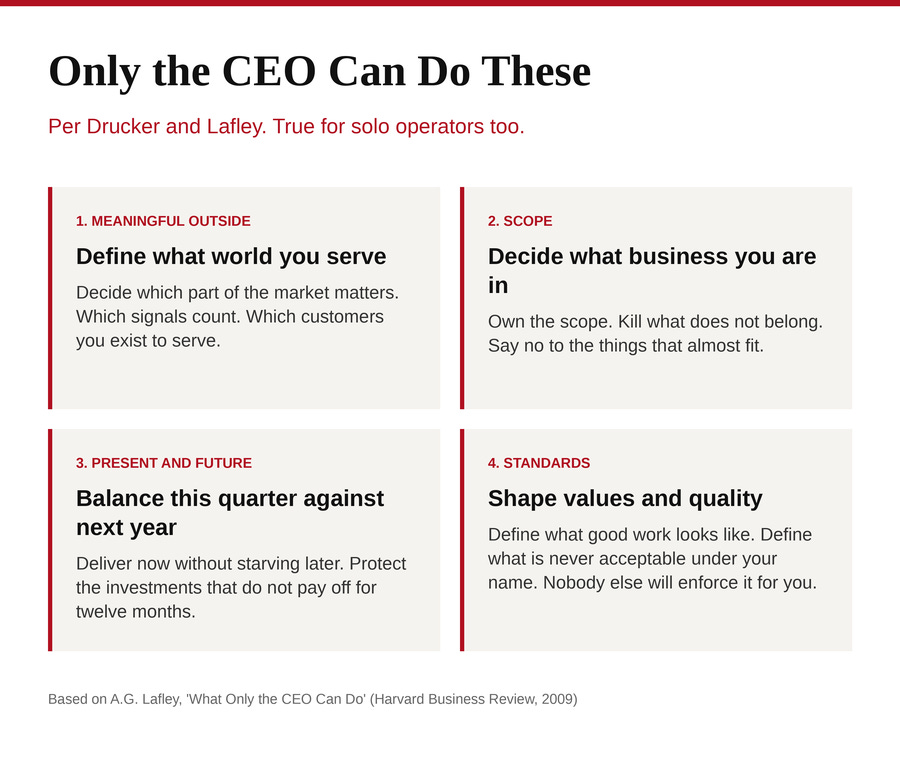
Peter Drucker wrote that the CEO is the link between the Inside of the organization and the Outside, meaning the market, the customers, the world. Forty years later, A.G. Lafley, the former CEO of Procter and Gamble, turned that idea into an HBR piece called “What Only the CEO Can Do.” He argued that no matter how big the company, there are four jobs no one else can do on the CEO’s behalf.
Define the meaningful outside. Decide which part of the world matters, which signals count, which customers you exist to serve.
Decide what business you are in, and what business you are not in. Own the scope. Kill what doesn’t belong. Say no to the things that almost fit.
Balance the present and the future. Deliver this quarter without starving next year. Protect the investments that don’t pay off for twelve months.
Shape values and standards. Define what the work looks like when it’s good, and what is never acceptable under your name.
Lafley wrote this for Fortune 500 CEOs. But read it again as a solo operator and nothing changes. Nobody else is defining your meaningful outside. Nobody else is telling you what business you are in. Nobody is balancing your present against your future or holding the standard of your work. You are the CEO in the strict Drucker sense, even if your entire org chart fits on a business card.
Those four are the work you should be spending your best hours on. Everything else is the scaffolding underneath. And if you’re spending your mornings remembering, tracking, and re-deriving things you already knew, you are not doing any of the four. You are being a very expensive coordinator for yourself.
The tool that changed this for me
I want to pause and explain something plainly, because I know most operators reading this are business-savvy but haven’t spent their evenings playing with AI tools. Calling something an “AI tool” is the least useful sentence you can say about it. It’s like calling a car a combustion system. Technically accurate, completely useless for deciding whether you want one. Let me translate. And no, not from Spanish this time.
A few months ago I started using something called Claude Cowork. It's a desktop app from Anthropic, the company behind the Claude AI. You get it with a Claude Pro subscription, $20 a month. You open it and it's a window where you talk to an assistant. The assistant is an AI, but you don't interact with it like a chatbot. You interact with it like you'd talk to a new hire on their first day.
You can point it at a folder on your computer and it can read what’s in there. You can ask it to do things on a schedule, like “every Friday afternoon, read the newsletters I follow and summarize the two things I need to know.” You can give it standing rules. You can ask it questions about your own files, your own notes, your own past client work.
No code. No technical setup. If you can open a folder on your desktop and write in a Google Doc, you can use it.
Once I understood that, the question stopped being “how do I learn AI” and became a question every businessperson already knows how to answer: how do I brief this assistant so it actually replaces the chief of staff I could never afford?
That reframe is the whole article.

The brief is the design
If you hired a chief of staff tomorrow and they walked into your office on day one, the first thing they would ask is some version of: what are you working on, what are the rules around here, and what should I be watching for you?
That conversation is the brief. In a traditional business it happens verbally over weeks. In a solo practice, you write it once into a single file, and you keep it alive.
Writing the first version was harder than I expected. Translating your own business into four sections forces you to admit what you actually know and what you’ve been faking. That kind of translation is much harder than Spanish to English.
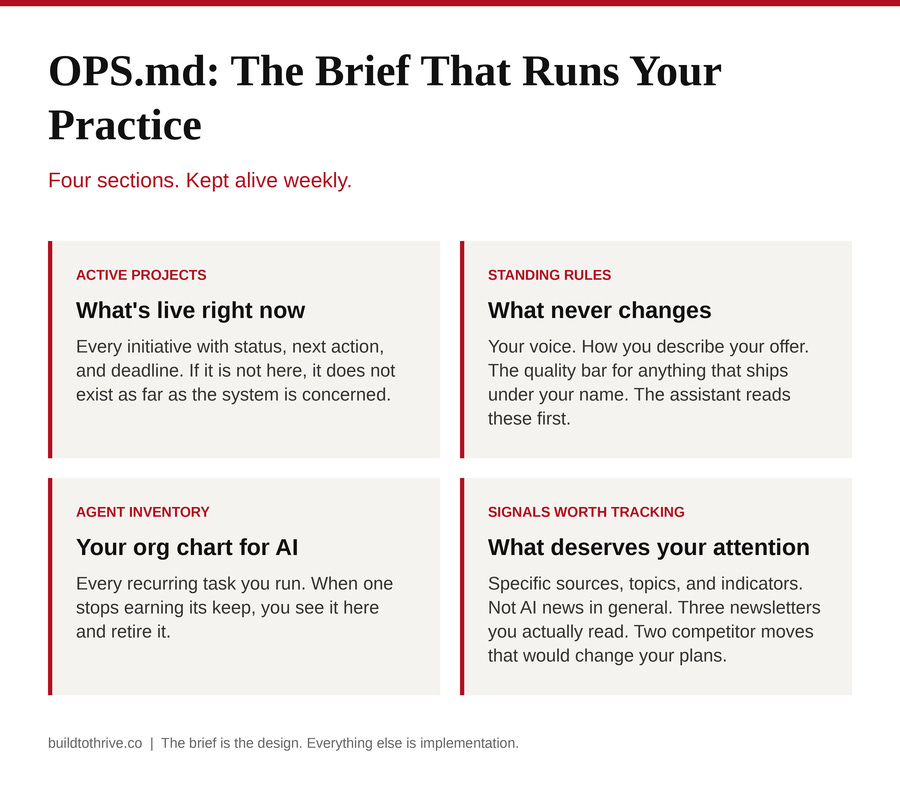
I call mine OPS.md. The name doesn’t matter. What matters is that it has four sections.
Active projects. Every live initiative, with a status, a next action, and a deadline. If it isn’t on this page, it doesn’t exist as far as my system is concerned.
Standing rules. The things that never change. My voice. The way I talk about my offer. The standards I hold for anything that goes out under my name. Any time the assistant does work on my behalf, these are the first thing it reads.
Agent inventory. A list of every recurring task I’ve set up. The morning briefing. The weekly research fetch. The newsletter prep pass. This list is my org chart. When one of these stops earning its keep, I can see it here and shut it down.
Signals worth tracking. The specific sources, topics, and indicators I want the system watching for me. Not “AI news.” The three newsletters I actually care about and the two competitor moves that would change my plans.
Think of OPS.md as the recipe card your kitchen cooks from. The assistant is the line cook. The file is the recipe. Change the recipe, the output changes on the next run. You never have to re-explain what you want, because the recipe already says it.
The two moments that carry my week
Friday afternoon. Claude Cowork does a scheduled pass. It reads the raw material I’ve been collecting all week (articles, notes, transcripts, inbox items I flagged) alongside my OPS.md. It produces a single page for me. Three sections. What signals matter this week. Which of my recurring tasks are drifting or unused. One decision I need to make before Monday.
I don’t read it on Friday. I read it on Sunday.
Sunday, ten minutes before the week starts. I sit down with that one page. I’m not reading research, I’m reviewing a pre-sorted decision queue. Approve. Cut. Defer. Update the brief to reflect what changed. That update feeds next Friday.
The whole thing is a loop. Raw material in, brief updated, output sharper, decisions faster, Monday cleaner.
What it actually feels like on the other side
Before this system, my head was a browser with forty tabs open. I’d close my laptop at night and the tabs stayed open in my head. I’d wake up with them.
After, I wake up with three to five things to handle and a clear head. That is not a small thing. It’s the entire reason I can run a fifth company solo and still have room to think about what’s next.
This is what people mean by cognitive unload, and it isn’t a productivity hack. It’s what gives you the room to do the work only you can do. The four things Drucker and Lafley named. The meaningful outside. The scope decisions. The balance between now and next year. The standards nobody else will enforce for you.
The chief of staff I couldn’t afford for twenty years is now a file and a schedule. I’m not a developer. I didn’t write a single line of code to build any of this. What I did was write a clear brief and hand it to a system that can read.
You can too.
How to start this week
You don’t need a weekend. You need thirty minutes and a blank file.
Open a text file. Call it OPS.md.
Write the four sections: active projects, standing rules, agent inventory, signals worth tracking. Fill in what you can. Leave the rest blank.
Open Claude Cowork. Point it at the folder where that file lives.
Ask it to read your OPS.md and summarize back what it understands about your practice.
That’s day one. The rest compounds.
The brief is the design. Everything else is implementation.
Below is the exact prompt I use every Friday, plus the OPS.md starter template I wrote my first one from. Both are yours to copy.
This is part of the Build to Thrive Operator Prompt Library, a structured set of prompts built specifically for solo operators running AI-assisted practices. Paid subscribers unlock the full library.